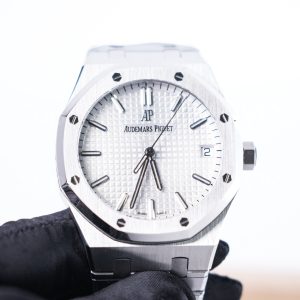
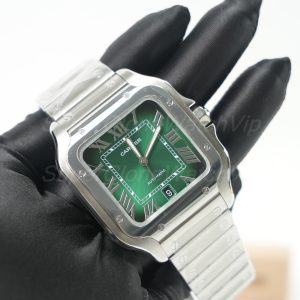
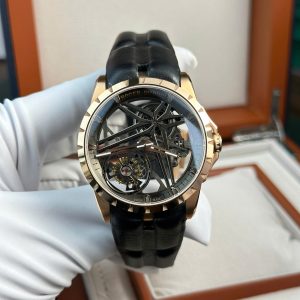
The Royal Oak bracelet is not a secondary detail. It defines the case flow, wrist profile, finishing impression, clasp feel, and pre-shipping QC decision. Therefore, this article explains how to review the integrated bracelet, taper, brushing, polishing, clasp finishing, dial alignment, case proportions, crystal clarity, bezel details, crown position, factory version, movement option, and real QC photos before payment.
Use this as a practical order-check article, not a simple encyclopedia note. The goal is to make the next step clear: compare the AP collection, review relevant product pages, confirm QC photo coverage, then contact SuperCloneWatchVIP support before payment when version, sizing, or bracelet details need confirmation.
What Is the Royal Oak Integrated Bracelet?
First, the Royal Oak bracelet is an integrated bracelet. In simple terms, the bracelet does not attach like a normal strap with a visible gap and separate lugs. Instead, the first links flow directly from the case and continue the watch shape across the wrist.
Because of that structure, the bracelet becomes part of the watch architecture. It affects the way the bezel sits visually, the way the case appears from the side, and the way the whole watch balances on the wrist. Therefore, bracelet review should happen before final payment, not after delivery.
For historical design context, Audemars Piguet’s own Royal Oak bracelet archive explains how the Royal Oak metal bracelet became one of the model’s most recognizable design elements, with wide tapering links and case-matching finishing. That reference is useful for understanding why the bracelet matters, even when the order decision is focused on a replica watch.
Read the AP Chronicles bracelet background for design context, then return to the practical QC points below. The official history helps explain the original design idea, while this article focuses on visible checks before ordering.
Also, the Royal Oak bracelet is difficult to judge from one front image. The design uses flat brushed planes, polished bevels, tight link geometry, and a clasp that should sit neatly under the wrist. As a result, several QC angles are needed before the final approval step.
Integrated Case Flow
The case-to-bracelet transition is the first point to inspect. The first links should leave the case evenly on both sides. Moreover, the top line should look smooth instead of twisted, raised, or forced.
However, the bracelet still needs movement. A transition that looks too rigid may create a stiff wrist feel. Therefore, the best visual result is clean fit, natural articulation, and consistent spacing from left to right.
Bracelet Taper
Next, taper means the bracelet gradually becomes narrower as it approaches the clasp. This creates a more refined wrist profile. It also keeps the case from looking too heavy.
At the same time, the taper should not look sudden. If the bracelet narrows too quickly, the case can appear oversized. If it does not taper enough, the watch can look bulky and less elegant.
Brushing and Polishing
Finally, finishing gives the bracelet its visual depth. Brushed surfaces should show straight, controlled grain. Meanwhile, polished bevels should stay even and bright without looking rounded or swollen.
This contrast is important because Royal Oak-style watches rely on light. When the wrist moves, the brushed and polished areas shift constantly. Therefore, uneven finishing can stand out more than expected.
Why the Bracelet Matters Before an Order Decision
First, the bracelet creates much of the Royal Oak identity. The octagonal bezel gets attention, but the integrated bracelet carries the design across the wrist. Therefore, the watch should not be judged from the dial alone.
Also, bracelet finishing stays visible in daily wear. The wrist turns often, and each link catches light from a different angle. As a result, weak brushing, rough polish, random link gaps, or a high clasp can become noticeable quickly.
Moreover, the bracelet affects comfort. Smooth articulation, a centered clasp, a controlled first-link drop, and clean edge finishing can improve the wearing result. On the other hand, stiff links or uneven spacing can make the watch feel less refined.
For broader model selection, the Audemars Piguet replica watches collection is the natural next page. It helps compare Royal Oak, Royal Oak Chronograph, Royal Oak Offshore, Concept-style, and openworked AP-style options before asking about version and QC photos.
Visual Balance
The bracelet should support the case size. In addition, the taper should make the watch look balanced from the front and not too thick from the side.
Daily Comfort
The bracelet should curve naturally around the wrist. Moreover, the clasp should sit neatly and not make the underside feel too bulky.
QC Confidence
A clear bracelet review reduces avoidable uncertainty before shipping. Therefore, front, side, clasp, and close-up photos should all be checked together.
Who This Guide Helps Most
This article is useful for anyone comparing Royal Oak-style watches where bracelet design is a major part of the decision. It is especially helpful when the question is not only “which dial looks better,” but also “which watch has the right case flow, bracelet taper, clasp feel, and QC photo coverage.”
Additionally, the guide fits people who care about daily wearing comfort. Royal Oak-style watches can look sharp in product photos, yet the real wearing impression depends on bracelet drop, clasp height, link flexibility, and case thickness. Therefore, bracelet review should be connected with wrist size and intended use.
Best Fit: Clean Daily Royal Oak Style
A 15500 or modern 41mm Royal Oak direction suits a cleaner daily profile. The main checks are dial texture, case brushing, bracelet taper, clasp finish, and date-window balance.
Best Fit: Compact Chronograph Proportion
A 38mm Royal Oak Chronograph direction suits a more compact sport-luxury wrist presence. The main checks are sub-dial alignment, case thickness, pusher shape, and bracelet comfort.
Best Fit: Stronger Chronograph Presence
A 41mm Royal Oak Chronograph direction suits a bolder wrist profile. The main checks are case side, bracelet width, clasp height, sub-dial spacing, and side-profile photos.
Product Path: Royal Oak Bracelet Examples to Review
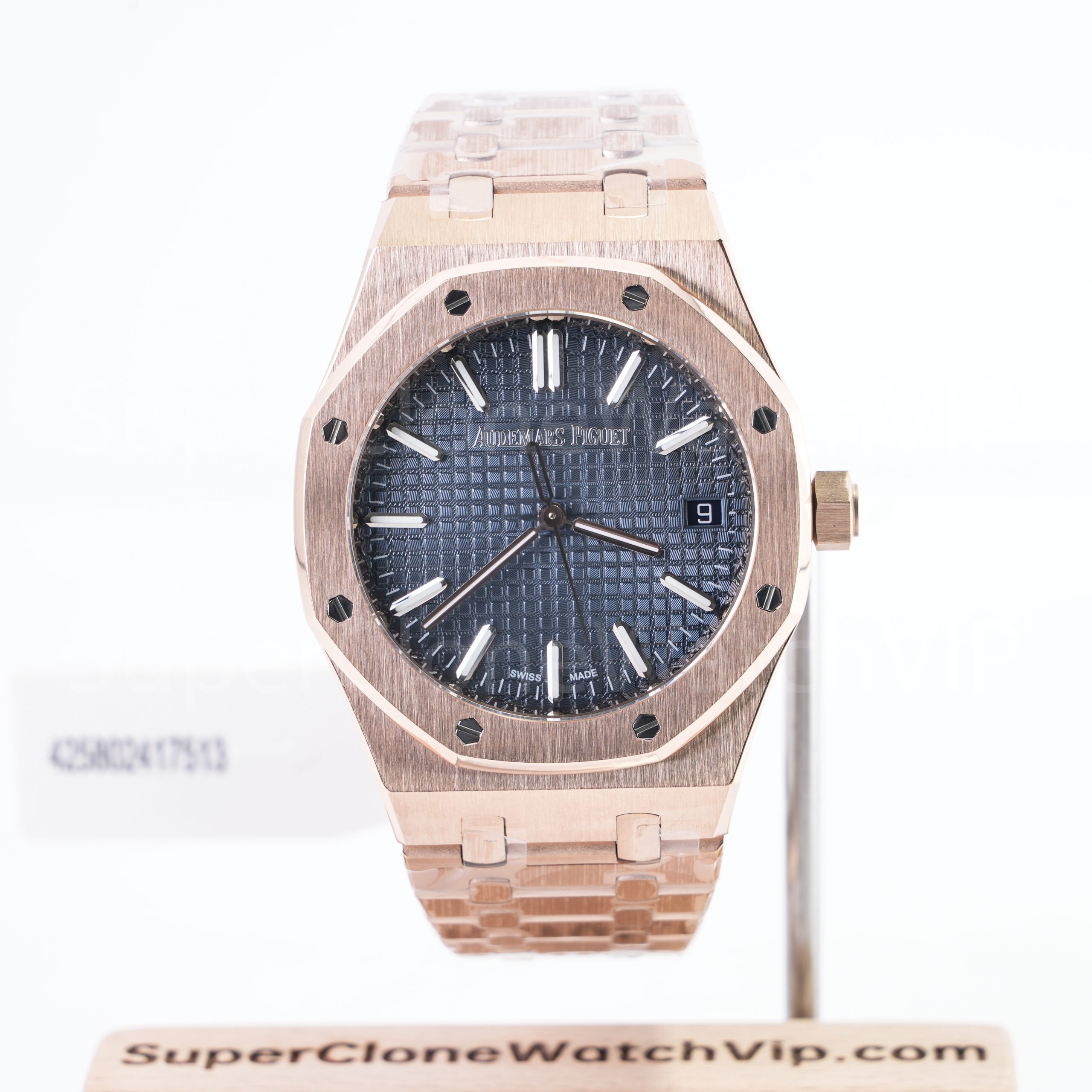
A good article should not leave the next step unclear. Therefore, the following product examples connect the bracelet checks with real AP-style pages. Each image is clickable, and each button goes to the matching product page.
The three examples are not presented as one-size-fits-all choices. Instead, they show different bracelet-review situations: compact chronograph proportion, full bracelet color consistency, and side-profile case-to-bracelet inspection.


How to Use These Product Pages
First, open the product page that matches the preferred case size and dial direction. Then compare the product photos with the QC checklist below. After that, contact support with the product link and ask which current version, movement option, and QC photo set can be confirmed before payment.
This creates a simple path from education to action. The article explains the detail, the product page shows the model, the QC page explains the review process, and the contact page confirms the order-specific details.
Key Details to Check on an AP Royal Oak Bracelet
A strong review works best when each detail is checked in order. Instead of only asking whether the watch looks attractive, the process should break the bracelet into visible areas. Then the final decision becomes easier and less emotional.
However, bracelet review should not become unrealistic. Photos cannot prove every long-term wearing detail. Still, clear QC images can reveal many visible concerns before the watch ships.
1. Case-to-Bracelet Transition
First, check the first link area. The bracelet should leave the case evenly on both sides. Moreover, the transition should not show a raised step, twist, or random gap.
2. Link Shape and Spacing
Next, inspect link shape. The links should look consistent from side to side. Also, random gaps can make the bracelet appear loose or poorly finished.
3. Bracelet Taper
Then, review the full bracelet view. The taper should look gradual from case to clasp. In addition, the clasp should not look too wide or too narrow for the case.
4. Brushed Surface Direction
Also, look at the brushed grain. It should run cleanly and consistently. If one link reflects differently, the bracelet may look patchy in daily lighting.
5. Polished Bevels
Additionally, polished bevels should stay crisp. They should not appear rounded, swollen, or uneven. Clean bevels make the bracelet look more structured.
6. Clasp Finishing
Finally, inspect the clasp. It should close straight and sit neatly. If an open-clasp photo is available, the inner finishing should also look clean.
Dial Alignment Still Belongs in the Bracelet Review
Although this article focuses on the bracelet, dial alignment still matters. Royal Oak-style watches depend on strong geometry. The bezel, dial, case, and bracelet all create straight visual lines.
Therefore, the front photo should be level. The hour markers, date window, logo position, sub-dials, bezel screws, and bracelet center line should all be easy to inspect. A tilted photo can hide a problem or create a false concern.
Meanwhile, crystal clarity should not be ignored. A hazy crystal can distort the dial texture and make alignment harder to judge. Clear front photos help confirm both dial quality and bracelet symmetry.
Bezel and Crown Details Complete the Exterior Check
The bezel should match the bracelet finish. Brushing should look controlled, and polished edges should not appear too soft. In addition, the bezel screws should look seated and balanced around the octagonal shape.
The crown also matters from the side. It should sit cleanly and support the case profile. If the crown looks too proud, too small, or poorly aligned, the side profile may look less convincing.
Factory Version, Movement Option, and Bracelet Execution
Factory version can influence bracelet finishing, case thickness, dial texture, clasp construction, and movement presentation. Therefore, version notes should be reviewed before payment. Still, the factory name alone should never replace actual QC photos.
Moreover, different versions can prioritize different details. One version may offer a stronger dial texture. Another may offer better bracelet brushing or a cleaner case profile. As a result, the best direction depends on the exact model and the current available version.
For a broader explanation of version comparison, the Super Clone Watch Factory Guide explains how factory options, movement notes, visible details, stock status, and QC photos should be compared before an order is placed.
Factory Version and Bracelet Finishing
First, bracelet finishing can vary by version. The brushed grain, bevel sharpness, clasp edge, screw seating, and link movement may not be identical across different production batches. Therefore, current QC photos are more useful than old forum images or outdated review screenshots.
Also, version updates can improve one area while leaving another area unchanged. A cleaner dial does not always mean a better bracelet. A stronger bracelet does not always mean the best movement option. Therefore, the whole watch should be checked as one system.
Movement Option and Case Thickness
Movement option can affect case thickness and caseback profile. This matters because the Royal Oak bracelet flows directly from the case. If the case is thicker, the first-link drop and side view can change.
However, movement identity should not be overpromised. The practical review is more useful: confirm the available movement option, check the side profile, inspect the caseback height, and compare the bracelet drop before final approval.
Video Proof When Bracelet Movement Matters
Photos can show finishing, alignment, and proportions. However, bracelet articulation and clasp action are sometimes easier to understand in a short video. This is especially helpful when the watch has a thick chronograph case or a bracelet that looks stiff in photos.
For that step, the video proof before shipping page explains how video can support dial, case, bracelet, clasp, bezel, and crown review before shipment.
QC Photo Checklist Before Shipping
Before shipping, the actual prepared watch should be reviewed through clear photos. The bracelet needs more than one angle because taper, side profile, clasp height, and first-link drop cannot be judged from a single front image.
The Super Clone Watch QC Process explains the pre-shipping review step. For a Royal Oak-style bracelet, the following points are especially important:
- Front photo: check dial alignment, logo position, marker spacing, bezel screw balance, and bracelet symmetry.
- Side photo: check case thickness, first-link drop, crown position, caseback height, and bracelet curve.
- Bracelet close-up: check brushed grain, polished bevels, link spacing, screw seating, and edge finish.
- Clasp closed: check clasp alignment, exterior brushing, folding position, and underside thickness.
- Clasp open: check inner finishing, hinge area, logo area, and any visible tool marks.
- Full bracelet view: check taper from case to clasp and confirm the bracelet does not look twisted.
- Bezel detail: check screw seating, brushed surface direction, polished edges, and octagonal shape balance.
- Crystal clarity: check for haze, strong distortion, dust-like marks, and distracting reflection issues.
- Crown detail: check crown size, position, side fit, and relationship with the case profile.
- Chronograph layout: check sub-dial spacing, pusher alignment, and date position when applicable.
- Version note: confirm factory direction, movement option, dial color, and material direction before payment.
- Sizing note: confirm wrist size, bracelet adjustment request, and extra links when resizing is requested.
Purchase Notes: How to Move From Reading to Action
A useful guide should make the next step obvious. After the bracelet details are understood, the order path should be simple: choose the Royal Oak direction, compare the product page, confirm the version, review QC coverage, then contact support before payment.
First, choose the case style. A clean time-and-date Royal Oak direction usually focuses on dial texture, case thickness, bracelet taper, and date alignment. A chronograph direction adds sub-dials, pushers, thicker case sides, and more bracelet weight.
Next, compare the wrist profile. The watch size guide can support this step because bracelet style, case size, thickness, and wearing comfort are connected. This is important with Royal Oak-style watches because the integrated bracelet makes the watch wear differently from a normal strap model.
After that, ask practical questions. Which current version is available? Which movement option is used? Can side-profile photos be provided? Can clasp-open and bracelet close-up photos be included? Can resizing be done before shipping, and will extra links remain included?
Finally, avoid rushing from product photo to payment. Product photos are useful for model selection. However, QC photos show the actual prepared watch. Therefore, final approval should depend on the specific photo set and any version notes confirmed by SuperCloneWatchVIP support.
Three Practical Actions Before Payment
- First, open the AP collection and select the model direction: 15500-style, compact chronograph, 41mm chronograph, Offshore-style, or openworked AP-style.
- Next, compare the product page with the QC checklist, especially bracelet taper, brushing, polishing, clasp finishing, dial alignment, case proportions, crystal clarity, bezel screws, and crown position.
- Finally, contact support with the product link before payment and confirm factory version, movement option, QC photo coverage, shipping-stage review, and any bracelet sizing request.
FAQ
Why does the Royal Oak bracelet need more QC attention than a normal bracelet?
First, the Royal Oak bracelet is integrated into the case. Therefore, it affects the whole watch shape, not just wrist fit. Also, the design uses brushed planes, polished bevels, visible taper, and tight link geometry. Small finishing issues can appear quickly in front, side, and close-up photos.
What bracelet detail should be checked first?
The case-to-bracelet transition should come first. It shows whether the integrated bracelet fits the case naturally. Moreover, both sides should look even in a straight front photo. After that, taper, link spacing, brushed grain, polished bevels, and clasp finishing should be reviewed.
Can bracelet comfort be judged before shipping?
Photos cannot fully prove long-term comfort. However, they can show useful signs. A smooth bracelet curve, even link spacing, controlled first-link drop, and centered clasp usually support a better wearing result. In addition, a short video can help show bracelet movement and clasp action.
How does factory version affect Royal Oak bracelet quality?
Factory version can affect brushing, bevel definition, clasp construction, link movement, and case integration. However, the version name alone is not enough. Therefore, current QC photos should decide the final review, especially for bracelet finishing, clasp alignment, case side profile, and dial balance.
Should movement option be checked during bracelet review?
Yes. Movement option can influence case thickness and caseback shape. As a result, it can affect how the bracelet flows from the case. Therefore, movement notes should be reviewed together with side photos, case proportions, bracelet taper, clasp height, and crown-side appearance.
What should be confirmed before payment?
Before payment, confirm the exact model, dial color, bracelet type, factory version, movement option, QC photo coverage, and any sizing request. Moreover, the photo set should show dial alignment, case proportions, bracelet finishing, clasp condition, crystal clarity, bezel details, crown position, and side profile.
Final Summary
Overall, the Royal Oak bracelet deserves the same attention as the dial, bezel, crystal, and movement option. It controls the way the case flows across the wrist. It also reveals finishing quality through brushing, polished bevels, link spacing, clasp construction, and side-profile balance.
Therefore, the best path is not to rely on one product image. Compare the model direction first. Then confirm current version and movement option. Finally, review the actual QC photo set before payment, especially front view, side view, bracelet close-up, clasp photo, and bezel detail.
In the final step, this ap royal oak bracelet guide should lead to a practical action: open the relevant AP product page, compare the bracelet details with the checklist, review the QC Process, and contact SuperCloneWatchVIP support before payment if bracelet sizing, factory version, movement option, or photo coverage needs confirmation.