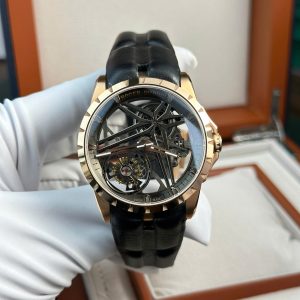
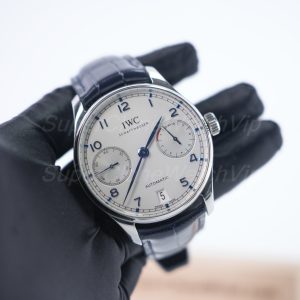
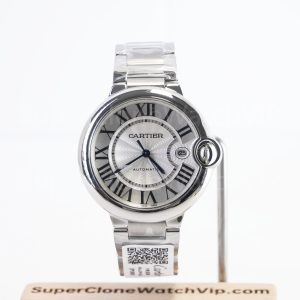
A proper replica watch QC checklist turns pre-shipping photos into a clear approval process. First, check the full front view. Then review the dial, bezel, date window, case, bracelet, clasp, and basic timing notes. QC photos before shipping help confirm the actual watch prepared for dispatch, not only a catalogue image. Therefore, approval should happen only after visible details match the order confirmation.
Why QC Approval Matters Before Shipping
First, QC approval protects an order from simple avoidable mistakes. A wrong dial color, incorrect bracelet style, poor date position, or visible scratch is easier to solve before dispatch. After shipping, correction becomes slower and less flexible.
However, QC is not a laboratory inspection. It is a practical photo review of visible finishing, alignment, order consistency, and basic function. For wider model research, replica watches on the homepage can help compare brand-style categories before narrowing the final watch.
Also, the review should begin with order confirmation. The confirmed model, dial color, bracelet type, case size, preferred style, shipping country, and factory version should match the real photos. If one of those points is unclear, approval should wait.
Start With the Full Front View
To begin, the full front photo gives the fastest overall impression. It shows the dial, hands, bezel, case shape, crystal, crown position, bracelet fit, and general symmetry in one image. A clear front view can reveal many issues before close-up photos get reviewed.
Meanwhile, camera angle can distort a watch. A slight tilt may make markers, bezels, and date windows look uneven. Therefore, one straight-on image is useful before deciding whether a detail is truly misaligned.
In addition, the front view should confirm the ordered style. A smooth bezel should not appear when a fluted bezel was confirmed. A rubber strap should not appear when a bracelet was selected. Basic order match always comes before small-detail judgment.
Best Fit for This Checklist
This guide works best when a watch has already been selected and pre-shipping photos have arrived. It is especially useful when final approval depends on visible details rather than broad brand research.
First Order Review
Useful when QC photos feel confusing and a step-by-step approval flow is needed.
Factory Version Check
Helpful when dial print, case shape, bracelet finish, or movement direction depends on version.
Pre-Shipment Approval
Best used before dispatch, while real photos and support answers can still be reviewed.
Pre-Shipping QC Checklist
Use this table as a calm review flow. It keeps approval focused and prevents random guessing from one photo angle.
| QC Area | What to Check | Usually Acceptable | Ask Before Approval When |
|---|---|---|---|
| Order match | Model, dial, bracelet, strap, case size, factory version | Photos match the order confirmation | Model, color, size, bracelet, or version differs |
| Front view | Overall balance, dial, hands, bezel, case shape | Looks balanced in a straight photo | One detail looks clearly tilted or mismatched |
| Dial | Logo, markers, print, minute track, hand set | Clean and readable at normal zoom | Text is damaged, badly tilted, or heavily blurred |
| Date window | Date position, font, cyclops view | Date sits mostly centered | Number is cut, slanted, too high, or too low |
| Bezel | Pip, insert, numerals, rotation position, finish | Pip and main markers look aligned enough | Triangle, pip, or insert is clearly off |
| Case | Lugs, crown, side profile, caseback, crystal | No obvious dents, chips, or uneven shape | Deep scratch, cracked crystal, or loose crown appears |
| Bracelet / clasp | End links, screws, clasp logo, strap fit, finish | Bracelet sits cleanly and matches the order | Large gap, bent link, wrong clasp, or loose closure appears |
| Timing note | Timegrapher photo, if provided | Numbers look reasonable for the selected version | A promised timing photo is missing or unclear |
Dial, Date, and Bezel Review
First, the dial deserves slow attention. The logo should appear centered enough for normal viewing. Hour markers should line up with the minute track. Printed text should look clean, balanced, and consistent with the selected factory version.
Next, the date window should be checked without overreacting to camera angle. The number should not touch the top edge, disappear at the bottom, or sit at a strong slant. If the cyclops makes the date look strange, one extra straight photo can solve the doubt.
Finally, the bezel should match the confirmed style. Dive-style inserts need attention at 12 o’clock. Fluted bezels need even grooves. Smooth bezels need clean polish. However, reflection lines and sticker marks should not be confused with damage.
Case, Bracelet, Clasp, and Strap Checks
First, the case should match the confirmed profile. A sharp sports case, a polished dress case, and an integrated bracelet case all create different wrist presence. Side photos help check thickness, crown position, caseback shape, and crystal height.
Also, the bracelet or strap should match the order. Oyster-style, Jubilee-style, President-style, rubber, and leather options all need a separate check. End links should sit neatly between the lugs, while screws and pins should appear seated.
Meanwhile, clasp review matters for daily use. The clasp should close properly, show the expected logo style, and match the bracelet finish. Deep scratches, loose closure, bent links, or a wrong clasp should be clarified before approval.
QC Examples: What to Check on Real Product Photos
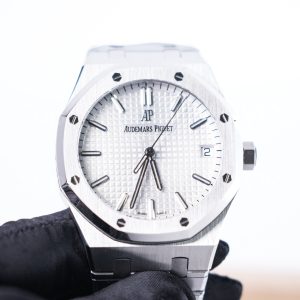
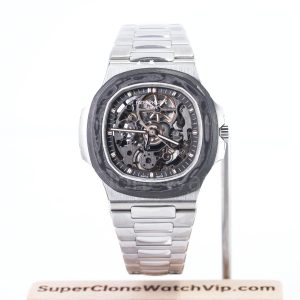
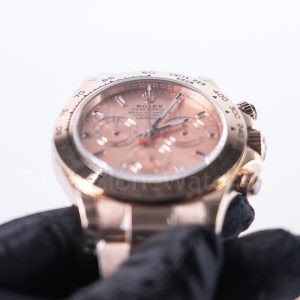
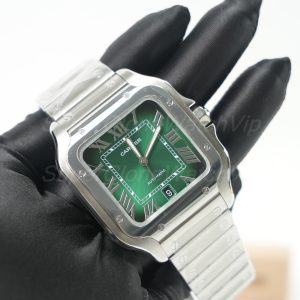
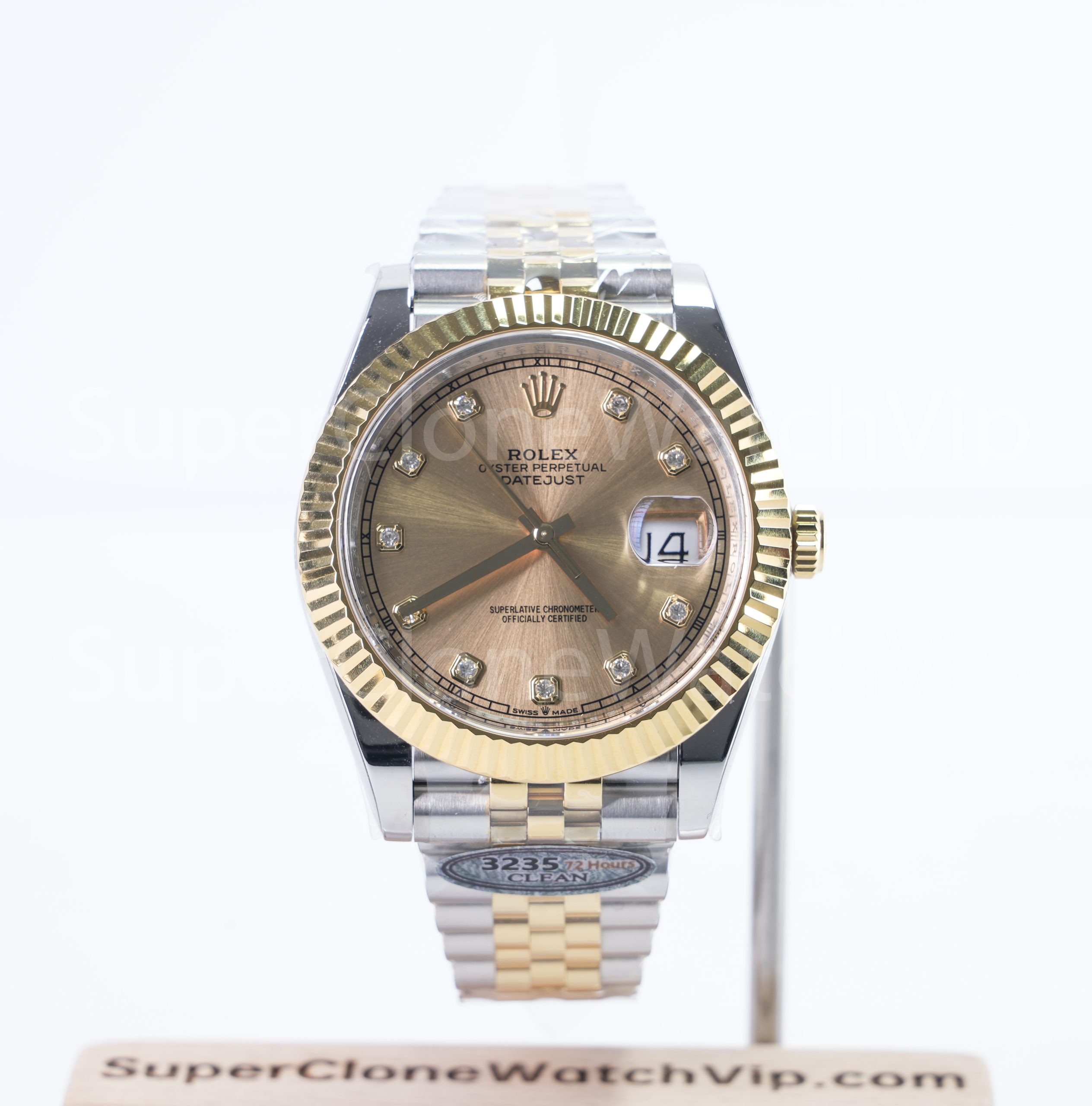
The product examples below are not forced recommendations. They are useful visual examples for checking dial layout, bezel finish, date window, bracelet fit, clasp detail, case finishing, and chronograph complexity. Each image is fully clickable and leads to the matching product page.


Real Photos Matter More Than Catalogue Images
Product photos help with selection, but real photos help with approval. They show the actual watch prepared for dispatch. Therefore, real photos are more useful for checking condition, alignment, bracelet style, clasp finish, and packaging readiness.
However, lighting can change the look of metal, ceramic, crystal, and dial color. A black line may be reflection. A white mark may be light glare. In that case, one extra angle is better than a rushed rejection.
Timegrapher and Basic Movement Notes
First, a timegrapher image is only a basic timing reference. It can show rate, amplitude, and beat error in one test position. Still, it does not prove long-term performance after wearing, shipping, winding, or position changes.
Also, factory version matters. Different versions may use different movement directions, movement decoration, date fonts, and case dimensions. Therefore, timing notes should be read together with the confirmed version, not as a separate promise.
For general mechanical-watch handling, established mechanical watch care guidance also warns that magnetism and strong shocks can affect accuracy. This reference is only for general watch-care context, not a claim of official relationship or authorization: mechanical watch care notes.
When to Ask Questions Before Approval
First, questions should be specific. A useful message names the photo and the detail. For example, “Photo 2: the 12 o’clock marker looks slightly tilted. Is this camera angle or marker alignment?” This format is easier to answer.
Next, separate preference from defect. A dial that looks darker under indoor light may be a photo condition. A wrong dial color is an order mismatch. These two cases need different responses.
Finally, ask before approving shipment when a major detail remains unclear. Wrong model, wrong bracelet, damaged crystal, deep scratch, broken clasp, unclear factory version, or mismatched order confirmation should not be ignored.
Purchase Advice: Confirm the Watch Before the Parcel Moves
A strong order path should move in this order: choose the model, confirm the current factory version, review real photos, ask focused questions, then approve dispatch. This is safer than choosing only from a nice product image or a low-price claim.
For style research, start from the homepage category view and compare clone watches by brand style, model type, wrist fit, and QC support. After the model direction is clear, product pages and real photos can guide the final decision.
- Choose a sports, dress, travel, chronograph, or low-profile daily style first.
- Confirm the exact model, dial color, bracelet or strap, and available factory version.
- Review front view, dial, bezel, date, case side, clasp, and bracelet before approval.
- Send one organized message when a detail needs clarification.
Final Summary Before Shipping Approval
In summary, QC should confirm the actual watch before dispatch. It should not feel rushed or confusing. A calm review of real photos, factory version, order confirmation, and visible condition prevents many avoidable problems.
Use this replica watch QC checklist as the final approval tool. Before approving shipment, send WhatsApp or support the budget, brand and model, wrist size, preferred style, and country. Then confirm the version and QC details before the order moves forward.
- First, compare all QC photos with the order confirmation.
- Next, ask one organized question list if the dial, date, bezel, bracelet, or clasp looks unclear.
- Finally, approve before shipping only when visible details, version, and delivery information are confirmed.
FAQ
What should be checked first in watch QC photos?
First, check order match. The model, dial color, bracelet or strap, case size, and factory version should match the confirmation. After that, review the front view, date window, bezel, case, bracelet, clasp, and timing note.
Are QC photos before shipping the same as product photos?
No. Product photos usually show a sample or catalogue-style watch. QC photos before shipping show the actual watch prepared for dispatch, so they are more useful for visible-detail approval.
What is the most common QC issue before approval?
Date alignment, bezel alignment, dial marker balance, bracelet fit, and wrong order details are common concerns. However, camera angle, dust, protective stickers, and lighting can also create false alarms.
Should a timegrapher photo always be required?
A timegrapher photo is useful, but it is only a basic test snapshot. It can show rate, amplitude, and beat error in one position. It does not guarantee long-term accuracy after shipping or daily wear.
When should support be contacted before approving shipment?
Support should be contacted when a major visible issue appears. Examples include wrong dial, wrong bracelet, damaged crystal, deep scratch, broken clasp, missing promised timing photo, or unclear factory version.
Is a tiny dust mark a reason to reject QC?
Usually, no. Dust, lint, fingerprints on stickers, and light reflections are common during photo inspection. However, a mark that looks like a deep scratch, chip, or internal debris should be checked with another angle.
Why does factory version matter during QC?
Factory version can affect dial print, date font, bracelet finish, case thickness, bezel color, clasp engraving, and movement layout. Therefore, QC review should confirm that the visible watch matches the version discussed before ordering.