Two GMT watches can display the same second time zone yet feel completely different on the wrist. A red-blue bezel on Jubilee is expressive and polished; a blue-black bezel on Oyster is quieter and more direct. That is why a Rolex GMT-Master II super clone should be narrowed by colorway and bracelet before any factory discussion begins.
This page builds that shortlist around Pepsi, Batman and Batgirl, black or grey-black options, Sprite and Root Beer, then shows which details belong in still-photo QC and which GMT functions need video. It stays focused on one model family rather than repeating broad clone watches rankings or cross-model comparisons.
Choose the GMT Colorway Before the Factory
Factory names are useful only after the desired watch has been defined. A buyer who has not decided between a bright Pepsi on Jubilee and a darker Batman on Oyster is not comparing equivalent options. The bracelet changes reflection, wrist feel and visual formality; the bezel changes how strongly the watch announces itself.
Begin with one primary configuration and one backup. Use the table below to rank visual strength and wearing context, then carry the listed QC priority into the exact product inquiry. The labels describe appearance and inspection priorities, not a promise about factory quality or movement specification.
| Color direction | Bracelet character | Visual strength | Natural styling scene | First QC priority | Most suitable for |
|---|---|---|---|---|---|
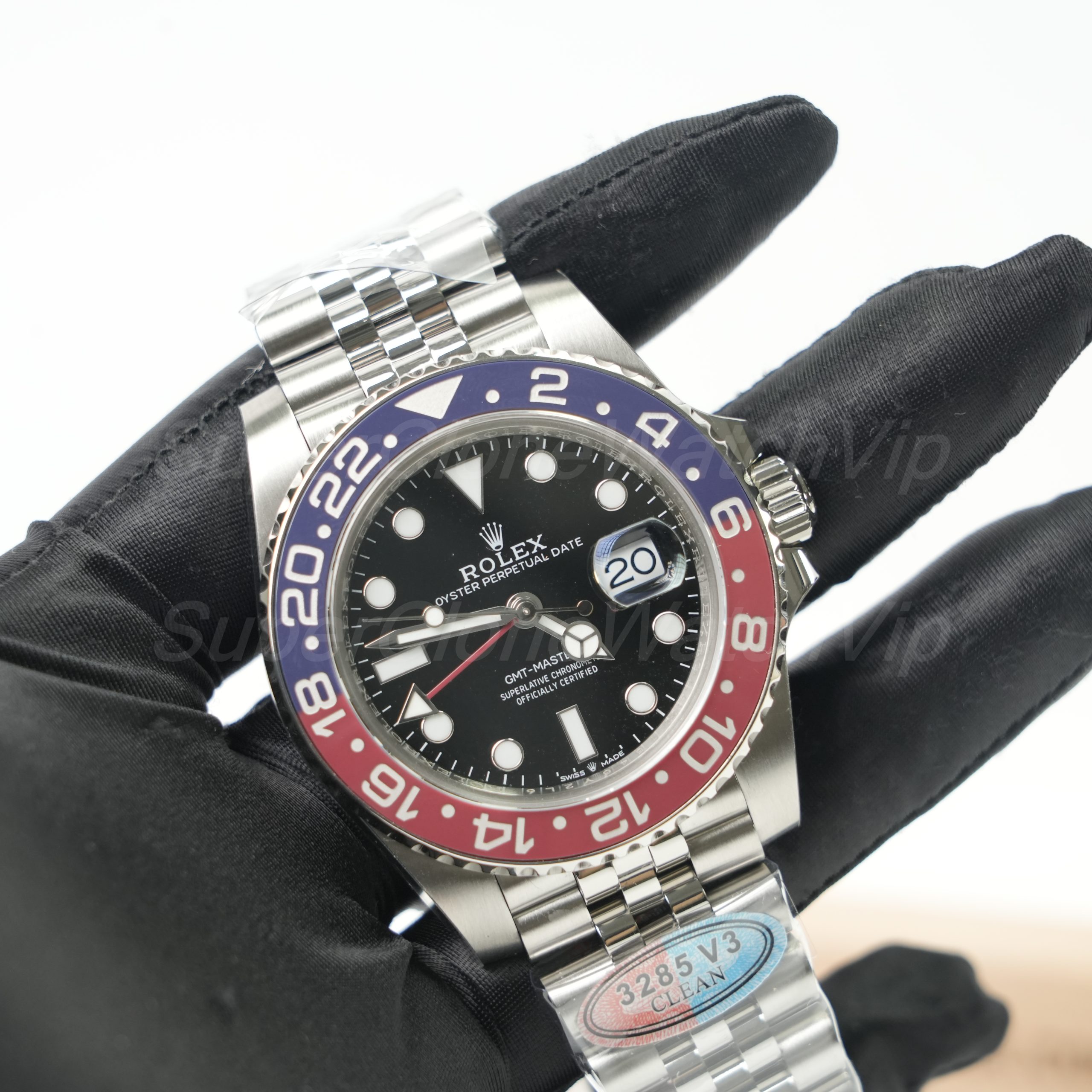
| Pepsi | Jubilee adds polish; Oyster makes the same colors feel more sporting | High | Travel, casual jackets, neutral outfits needing one color accent | Red-blue split under neutral and angled light | Buyers who want the bezel to be the main visual feature |
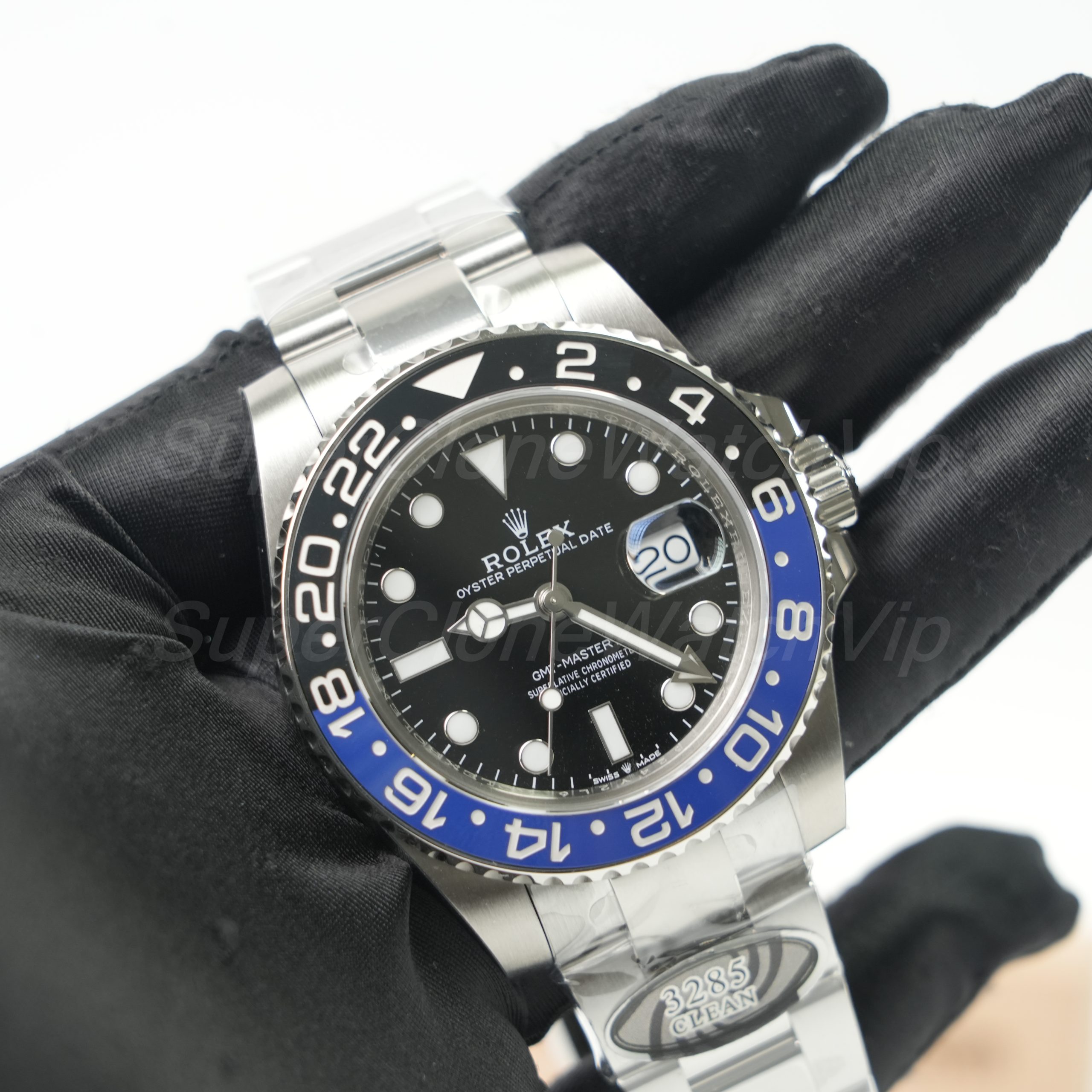
| Batman / Batgirl | Oyster is cleaner and firmer; Jubilee is brighter and dressier | Medium | Office casual, frequent daily wear, business travel | Blue-black transition plus end-link and clasp fit | Buyers who want color without a bright red-blue statement |
| Black / grey-black | Oyster keeps the profile restrained; Jubilee increases reflection | Low | Dark wardrobes, understated office wear, one-watch travel | Numeral fill, surface reflection and triangle alignment | Buyers who value versatility over nickname recognition |
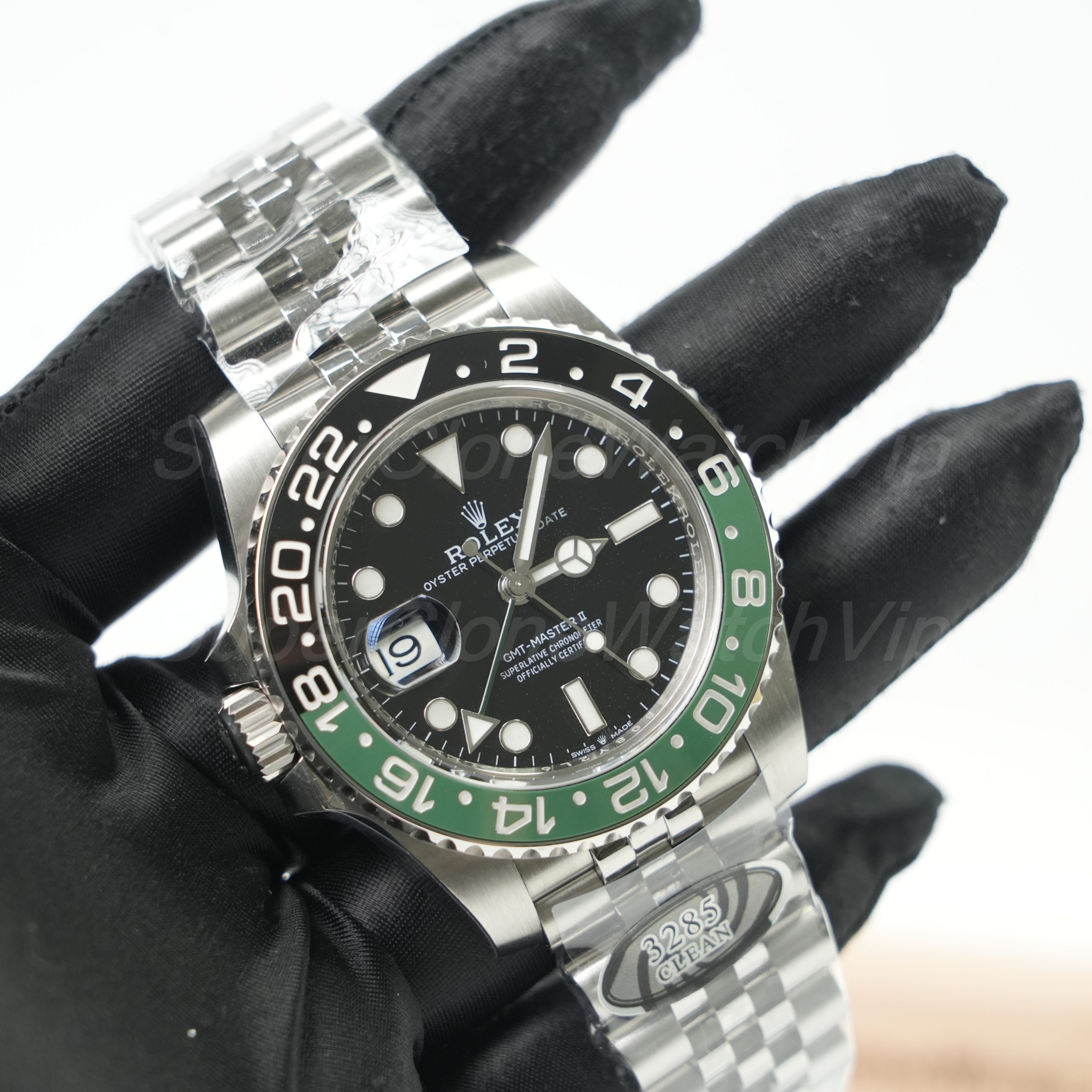
| Sprite | Jubilee emphasizes the unusual layout; Oyster makes it more direct | High | Casual travel and collections that already contain quieter watches | Left-side crown and date layout viewed straight on | Buyers comfortable with an intentionally unconventional layout |
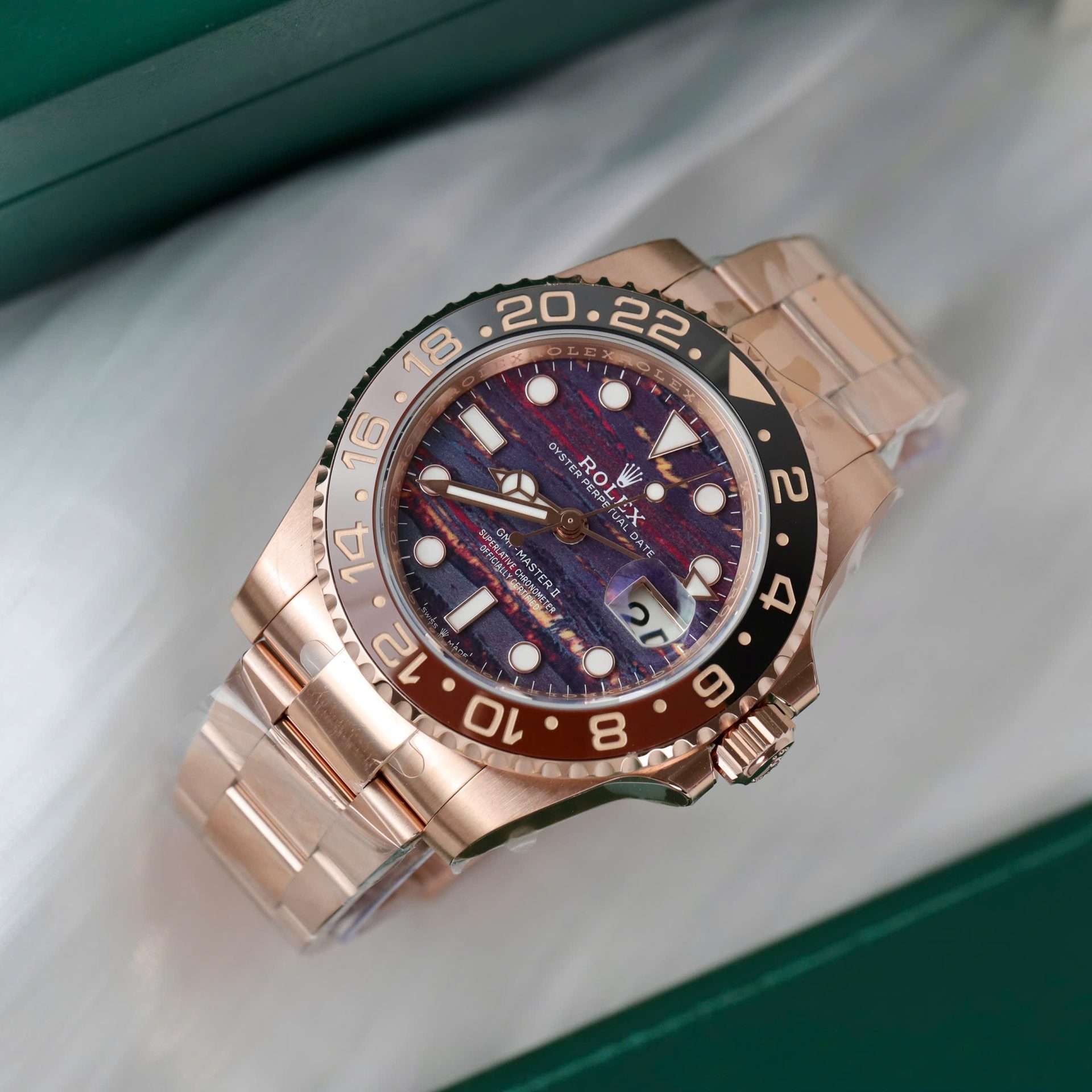
| Root Beer | Oyster-style links keep it sporty while warm tones add formality | Medium-high | Smart casual, evening wear and warm-colored accessories | Consistency of warm case, bezel and bracelet tones | Buyers who prefer warmth over the cooler steel-and-blue look |
Shortlist rule: do not compare two factories across two different colorways and call it a factory test. Keep the reference, bezel and bracelet as close as possible, then compare the current pieces.
Pepsi: Color Split and Bezel Challenges
Pepsi is the easiest GMT colorway to recognize and one of the easiest to misjudge from a single photograph. Camera white balance, warm indoor lighting and strong reflections can shift the red toward magenta or orange and flatten the blue. A polished catalog image therefore cannot settle the color decision.
Ask for three views, not three similar photos
- A straight front image in neutral light to judge the 12 o’clock triangle, numeral position and overall red-blue division.
- A slight angle from each side to show how the insert changes under reflection and whether the color boundary stays controlled.
- A wider wrist-style or hand-held view so the bezel can be judged at normal viewing distance rather than only under macro magnification.
The color boundary should look intentional and the printed 24-hour numerals should remain clear across both halves. Also compare the bezel triangle with the 12 o’clock dial marker from a level front image. A tilted camera can make a correctly seated bezel look misaligned, so reject only after checking a second straight photo.
Bracelet choice changes the result as much as bezel color. Jubilee adds more light and makes Pepsi feel polished; Oyster reduces reflection and gives the same bezel a firmer sports-watch character. Choose that mood before asking which factory version is available.
Batman and Batgirl: Bracelet Changes the Character
In common buyer shorthand, Batman usually describes the blue-black GMT on an Oyster bracelet, while Batgirl is used for the blue-black look on Jubilee. The practical difference is therefore not a different travel function; it is how the bracelet changes reflection, formality and the visual width of the watch.
Choose Oyster when…
You prefer a cleaner sports profile, broader brushed surfaces and a bracelet that keeps attention on the blue-black bezel. During QC, inspect brushing direction, end-link seating, side gaps and clasp alignment.
Choose Jubilee when…
You want more articulation and light reflection, especially with office clothing or a dressier travel wardrobe. Review link consistency, center-link reflection, end-link fit and whether the bracelet hangs straight.
For the bezel, request neutral-light photos rather than relying on heavily edited blue. The black half should not disappear into the dial, and the blue half should remain visible without becoming the only thing seen. The strongest Batman or Batgirl choice is the one whose bracelet matches the intended wardrobe and whose actual QC set shows a balanced blue-black transition.
Do not open a factory comparison simply because both nicknames appear in search results. First decide Oyster or Jubilee. Only then is a same-color, same-bracelet factory comparison useful.
Black and Other Low-Key GMT Options
A black or grey-black GMT is the quieter route when the 24-hour layout matters more than a famous color nickname. Dark inserts usually combine easily with office clothing, outerwear and travel basics, but they still need careful light-angle review. Excessive reflection can make a grey-black insert look pale in one photo and almost fully black in another.
What to inspect on dark bezels
Check the triangle and numeral fill in a level front view, then ask for an angled image that shows the insert surface without a direct flash hotspot. The printed scale should remain readable and the bezel should return to the 12 o’clock position cleanly in a short handling video. Darker colorways hide color-transition problems, but they can expose weak numeral fill, uneven shine or a tilted insert.
Where Sprite and Root Beer fit
Sprite is not a low-key substitute. Its green-black bezel and left-side crown-and-date layout are visually distinctive, so it belongs on the shortlist only when that asymmetry is part of the appeal. Request a straight front photo to confirm the intended layout, then verify the crown side, date orientation and GMT hand placement from additional angles.
Root Beer is warmer rather than quieter. It can suit smart-casual and evening use, but the main QC burden moves to color consistency across the bezel, case surfaces, bracelet and clasp. Review those areas in the same lighting instead of combining product photos taken under different color temperatures.
GMT Hand, Date and Bezel Function
Still photos can confirm the appearance of four hands, but they cannot prove how the advertised GMT setting works. The exact adjustment sequence can vary by movement and version, so the useful request is a video demonstration of the functions stated on the selected product page rather than an assumption based on a factory name.
Fourth-hand alignment
Ask the seller to set the minute hand exactly at 12 and the GMT arrow to a known mark on the 24-hour bezel. The arrow should point deliberately to that value rather than sitting between marks without explanation.
Advertised independent adjustment
The video should show which hand moves in the relevant crown position and whether the date responds as advertised. Confirm the behavior against the exact version description before approval.
Date operation
Request several visible date numbers in photos and a short setting sequence in video. Look for centered presentation, clear change and no obvious sticking during the demonstration.
Bezel handling
Have the bezel moved away from 12 and returned to the triangle. The insert should appear seated, the motion should look controlled and the final alignment should be shown straight on.
A useful function video is continuous and close enough to show the crown, hands, date and bezel without cuts between each action. It does not need promotional music or cinematic lighting. It needs a clear sequence that links the seller’s version claim to the actual prepared watch.
For the site’s general demonstration standards, use the video proof before shipping page. Movement naming and layout questions that go beyond this model-level guide belong in the Rolex movement guide.
Case, Dial, Rehaut and Bracelet QC
Exterior QC should move from large alignment issues to smaller finishing details. Start with a level front photograph, continue with both case sides, then review the bracelet and clasp. Macro images are useful only after the complete watch looks balanced.
Dial and hand stack
Check marker spacing, logo and text placement, minute-track consistency, hand cleanliness and whether the GMT arrow is clearly visible without looking crowded.
Cyclops and date window
Use a straight image to judge lens position and date centering. Ask for more than one date number when possible because width changes can reveal vertical or horizontal drift.
Rehaut
Look for severe rotational drift, inconsistent spacing or an obviously off-center crown at 12. Allow for camera angle before treating small photographic differences as a defect.
Case profile
Review both sides for lug balance, crown-guard shape, brushing, polished boundaries and overall thickness appearance. Side photos reveal bulk that a front image can hide.
Bracelet and end links
Confirm Oyster or Jubilee, then inspect end-link seating, link spacing, visible screw heads, taper and whether the bracelet hangs straight from the case.
Clasp
Check centering, brushing direction, polished areas, safety-lock presentation and closing action. Use video for operation; use still photos for engraving and finish.
The QC photos before shipping page explains the wider approval process. For this GMT shortlist, place the bezel color, fourth hand, date and chosen bracelet at the top of the request instead of sending a generic eight-point checklist with no model priority.
Factory and Version Confirmation
This page should not decide a Clean-versus-C+ contest. Its job is to define the exact GMT configuration so that a factory comparison becomes fair. Once the primary colorway and bracelet are fixed, ask for the factory name, current version label, movement designation as sold, stock status and whether the shown QC set belongs to that exact configuration.
Open the factory guide only at this point
Use the Clean Factory vs C+ GMT guide when the same or genuinely comparable GMT configuration is available from both sources and the remaining decision is exterior execution, version details and function proof.
Do not use it to compare Pepsi Jubilee from one factory against Root Beer Oyster from another. That mixes color, bracelet and case-tone variables with the factory variable.
A useful confirmation message includes:
- The exact product link or reference direction.
- Primary and backup colorway, plus Oyster or Jubilee preference.
- The factory and current version label being offered.
- The movement name used on that product listing, without assuming the function sequence.
- A request for the actual QC set and the specific GMT function video listed in the previous section.
Build a Travel-Watch Shortlist
A practical shortlist has two watches, not ten browser tabs. Choose one primary configuration that matches most of the wardrobe and one backup that changes only one major variable. For example, compare Pepsi Jubilee with Pepsi Oyster, or Batman Oyster with Batgirl Jubilee. That makes bracelet impact visible without turning the decision into a factory ranking exercise.
Set the budget ceiling after the configuration is fixed. Compare quotes only when the reference direction, bracelet, factory version, included QC support and stated functions are equivalent. A lower quote for a different dial, warm-tone case or unrelated version is not a meaningful saving.
The GMT-Master II model category should be used to confirm current color and bracelet options. Broader replica watches browsing is useful only when the model family itself is still undecided; it should not interrupt this GMT shortlist once the color direction is clear.
Final approval sequence
- Select the primary colorway and bracelet, then name one backup that changes only one major variable.
- Confirm the current factory and version for those exact options.
- Review neutral-light bezel photos, a level dial photo, both case sides, bracelet, clasp, date and rehaut.
- Request one continuous video for the advertised GMT adjustment, date operation, bezel return-to-12 and clasp action.
- Approve only after the prepared watch, not a catalog sample, matches the shortlist.
Send One Primary GMT and One Backup
Use the decision table to send two exact options: colorway, bracelet, product link, budget ceiling and receiving country. Then ask for the offered factory version, the actual QC photo set and the specific GMT function video required for those two watches.
Related Checks After the Shortlist
GMT-Master II Selection FAQ
Is Pepsi bezel color harder to judge in photos?
Yes. White balance, indoor lighting and reflections can shift both halves of the insert. Request a neutral-light front photo, two angled views and one normal-distance image before judging the red-blue split.
What is the practical difference between Batman and Batgirl?
The common buyer distinction is bracelet character: Batman normally refers to the blue-black look on Oyster, while Batgirl refers to Jubilee. Oyster is cleaner and sportier; Jubilee reflects more light and feels dressier. Confirm the exact reference and bracelet on the product page.
Which GMT function checks need video?
Use video for the advertised independent hand adjustment, crown positions, date operation, bezel movement and return-to-12, plus clasp action. Still photos remain better for dial, bezel, date and rehaut alignment.
How should the fourth hand be aligned?
Ask for the minute hand to be set exactly at 12 and the GMT arrow to a stated 24-hour value. The arrow should point clearly to the intended bezel mark. A short video should then show that the hand can be adjusted according to the function advertised for that exact version.
When should the Clean vs C+ factory guide be opened?
Open it after the primary colorway and bracelet are fixed and both factories can be compared on the same or genuinely equivalent GMT configuration. Before that point, the factory guide adds noise because model and bracelet differences are still changing the result.
Related guide: For a broader model comparison, bracelet fit, bezel checks, and pre-shipping review, continue with our GMT-Master II comparison and QC guide.