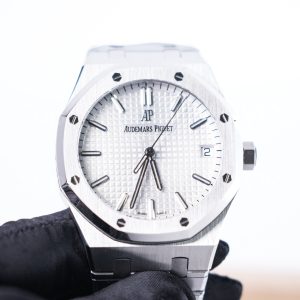
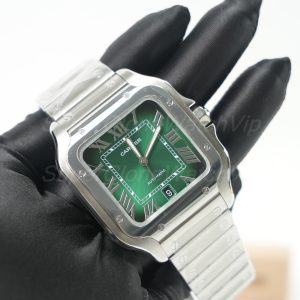
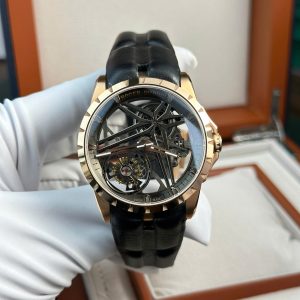
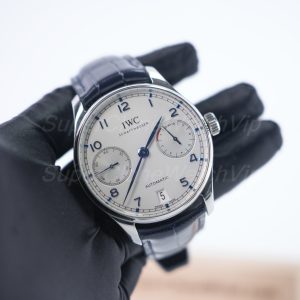
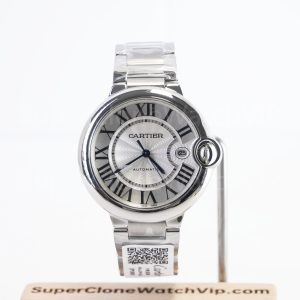
A complete order begins with “What exactly do I want?” and ends with “Does the delivered watch match the approved evidence?” Most avoidable problems happen between those two questions because one step was skipped. This replica watches buying guide follows the full path: define the model, build a controlled shortlist, verify the offered version, request evidence, approve QC, track delivery, inspect the watch and preserve the records needed for support.
Use the process for a first personal order, a comparison between two offers or a sample purchase. It does not rank sellers, name one universal “best” model or calculate a complete price formula. Those questions require separate research. Here, every stage must produce a clear output before the next stage begins.
The Nine-Stage Order Control Map
Treat every stage as a gate. The input tells you what must already be known. Required evidence shows what can be checked. A stop condition means the order should not advance yet. The output becomes the input for the next stage.
1. Define the Model, Budget and Non-Negotiables
Do not begin with a factory name. Begin with a purchase brief that another person could read without guessing. Record the model family or reference direction, intended use, preferred size, dial colour, bezel, bracelet or strap, date display and any function you expect to operate. A buyer comparing replica watches should be able to describe the target without relying on a product title alone.
Separate preferences from non-negotiables. “Blue dial preferred” allows an alternative. “Must be a no-date configuration” does not. The same distinction applies to bracelet type, case material, visible caseback, GMT display or chronograph operation. If a requirement affects whether you would accept the watch, place it in the non-negotiable column.
Set a maximum complete-order budget rather than a vague product budget. The full quote may include items beyond the listed watch price, so the amount used to build the shortlist should leave room for the confirmed order terms. Detailed price drivers belong in the dedicated cost guide, not in this process page.
2. Build a Shortlist Without Mixing References
A useful shortlist contains two or three candidates that answer the same brief. Do not compare a simple three-hand watch, a GMT, an openworked model and a chronograph only because their prices are close. Different displays, case forms and functions create different QC requirements, so the comparison stops being controlled.
Fix the reference direction before comparing offers. A black dial and a blue dial may use the same family name but create different visual checks. A steel bracelet and rubber strap change fit and appearance. A date and no-date version should not share one QC checklist. Save the exact product link or a complete written description for every finalist.
For a first order, reducing the list is more valuable than adding more famous names. Keep the candidate that best matches the stated use, remove any option that violates a non-negotiable and preserve one alternative only when it solves the same job in a different style. Readers who still need a cross-model ranking should use the dedicated model shortlist linked near the end of this page.
For sample or repeat orders
Add two questions to the shortlist record: can the same version be sourced again, and can future QC be supplied in a consistent format? A sample is easier to evaluate when its version note, image angles, packaging record and support conversation can be compared with a later order.
3. Verify Factory, Version and Seller Information
Factory information is useful only after the exact configuration is fixed. Ask which named source or factory version is being offered for the selected model, whether the description refers to current stock and whether any relevant version note has changed. Do not treat a factory reputation from another reference or an older batch as proof for the watch in this order.
Write the answer into the order record exactly as supplied. Avoid shortening the note to a factory name if the seller also gave a version, movement direction, bracelet option or stock qualifier. The offer should remain identifiable after the conversation moves to QC.
Verify the communication path separately. The website domain, listed contact method, payment instructions and order conversation should agree. A copied product page or familiar factory name does not prove that the person receiving payment is connected with the website. Seller-screening criteria belong in the dedicated website audit guide; this stage only confirms that the specific offer and contact path are consistent.
For deeper model-based factory research, read the Super Clone Watch Factory Guide. Return to this order page once the exact offered version can be written in one line.
4. Request the Right Photos and Function Videos
The evidence request should follow the model, not a universal photo count. Start with a straight front view, both case sides, crown side, bezel, bracelet or strap connection, clasp, caseback and any close-up needed for the chosen reference. The goal is not to collect many images; it is to remove blind spots.
Use photos for alignment, printing, finishing and configuration. Use uninterrupted video for actions that a still image cannot prove. A GMT adjustment, chronograph start-stop-reset sequence, date change, clasp operation or other required moving function should be shown clearly when it is part of the agreed offer.
Ask for another angle when lighting or perspective hides a decision point. A tilted image can make a marker or date window appear misaligned, while glare can hide printing. The correct response is a targeted follow-up request, not automatic approval or rejection. The site’s QC Process explains the broader pre-shipping review; this section turns that review into an order-specific evidence list.
Identity views
Front, side profile, crown side, caseback and the requested dial, bezel, date and bracelet configuration.
Construction views
Markers, hands, printing, bezel fit, first links, strap junction, clasp and visible finishing.
Operation proof
One continuous video for every moving function that influenced the purchase decision.
5. Compare the Final Quote and Payment Terms
Compare quotes only after the model, configuration, factory or version note, included items, QC scope and destination are equivalent. A lower number attached to a different bracelet, another version or a narrower support process is not a like-for-like saving.
Before payment, request one written commercial summary. It should identify the exact watch, total amount, what is included, the payment method currently offered, the recipient instructions, expected QC stage and the shipping terms that apply to the order. Save that summary before sending funds.
Stop when the recipient details do not match the verified communication path, the total changes without explanation or the seller cannot state what happens before dispatch. The How to Order & Payment Methods page should be used for the site’s current ordering instructions. This article does not replace or invent payment rules.
Save before payment
- Exact product link or written reference description.
- Factory, version and configuration note.
- Final total and included items.
- Verified payment instructions and date.
- Written QC, dispatch and support expectations.
6. Approve QC or Ask for a Replacement
Judge QC against the written order brief, not against memory or a different online photograph. Begin with identity: model direction, dial, bezel, date, bracelet or strap and version note. Then review the visible construction and any function evidence requested earlier.
Reject or request a replacement when the prepared watch materially differs from the agreed configuration, a visible issue remains after a clear follow-up image, or a required function is not demonstrated as agreed. Do not reject simply because a reflection, camera angle or protective film creates uncertainty; ask for the one view needed to separate a real issue from an image problem.
Approval should be written and specific. A useful message confirms the exact model, dial, bracelet or strap, visible condition and required functions reviewed. For a replacement request, identify the failed acceptance point and attach the relevant image rather than sending a broad “not good” response.
7. Track Shipping and Prepare for Delivery
Before dispatch, confirm the recipient name, address, contact number and any destination detail requested through the official order process. Save the final address message with the QC approval so the shipment record shows which watch and destination were authorized together.
After dispatch, store the date, carrier or route note, tracking reference and any package identifier supplied. Tracking updates can change format or pause between scans, so use the seller’s stated support path before drawing conclusions from one status line. Current delivery and customs guidance belongs on the Shipping & Customs page.
Prepare for delivery rather than waiting to decide what to inspect. Keep the approved QC set available, make space to record the opening and list the identity points you will check before resizing a bracelet, removing protective material or using the watch extensively.
8. Inspect the Watch After Arrival
Delivery inspection has a different purpose from pre-shipping QC. QC asks whether the prepared watch should be approved. Delivery inspection asks whether the parcel contains that approved watch and whether its condition changed in transit. Start with package condition and record the opening in one continuous sequence when possible.
Compare identity before detail: model, dial, bezel, bracelet or strap, caseback and any visible serial or order identifier supplied in the QC record. Then check exterior condition, crown and clasp operation, basic time-setting and the functions that were part of the approved evidence. Do not introduce unconfirmed tests such as water exposure.
If there is a mismatch or visible shipping damage, preserve the packaging, record the issue clearly and contact support through the same order thread. If the watch matches, adjust the fit and wear it during normal tasks before judging comfort. Typing, walking, driving and wearing a sleeve reveal fit issues that a desk inspection cannot.
First-day inspection order
- Record the unopened parcel and any visible damage.
- Match the delivered configuration to the approved QC set.
- Check exterior condition, crown, clasp and agreed basic functions.
- Document a mismatch before altering, resizing or extensively wearing the watch.
- After the identity check passes, adjust the fit and assess normal comfort.
9. Keep Records for After-Sales Support
After-sales support becomes slower when the order has to be reconstructed from scattered screenshots. Keep one folder for the entire purchase and name files by stage and date. The folder should show what was requested, what was offered, what was paid, what was approved, what was shipped and what arrived.
Before payment, confirm which records or details may be required if a problem is reported after delivery, which contact path should be used and what evidence should accompany the first message. Do not assume support terms that were never written. Review the site’s current Warranty & Support page for the applicable process.
For repeat sourcing, add a short post-order note: whether the version matched the description, whether QC angles were sufficient, whether the delivered watch matched approval and whether the same configuration should be requested again. That turns one order into a usable comparison record instead of an isolated purchase.
Use Separate Guides When the Question Changes
This page controls the order sequence. It does not replace a model ranking, seller audit, price analysis or legal risk review. Those are separate search tasks. The same rule applies to broad terms such as clone watches: a label does not replace a fixed configuration, exact-unit evidence and an archived order record.
Questions about trademark, customs or local rules should be reviewed separately in the buyer legal risk guide. This article does not provide legal advice.
FAQ
What information should be fixed before requesting a quote?
Fix the model or reference direction, size, dial, bezel, date display, bracelet or strap, required functions, budget ceiling and receiving country. Mark each field as required or preferred so a substitution cannot be mistaken for the original request.
When should a buyer reject QC?
Reject or request a replacement when the exact unit conflicts with a recorded non-negotiable, shows a visible issue that remains after a clear follow-up image, or fails to demonstrate a required function. Ask for another angle before rejecting an issue that may be caused by glare, perspective or protective material.
Which records should be saved before payment?
Save the product link or complete reference description, factory and version note, final configuration, total quote, included items, verified payment instructions, QC timing, shipping terms and the official contact thread. Keep the payment confirmation with the same record.
How should delivery inspection differ from pre-shipping QC?
Pre-shipping QC decides whether the prepared watch should be approved. Delivery inspection confirms that the parcel contains the approved configuration and checks for transit damage or a mismatch. Compare identity first, then condition and basic operation.
What should be confirmed for after-sales support?
Confirm the official support channel, the order details used to identify the purchase, the evidence required for an issue report and the current written policy that applies. Do not rely on assumptions or a verbal promise that is absent from the order record.
Finish With a One-Page Order Archive
Before the order conversation becomes long, create one page that points to every decisive record. This is the final output of the nine-stage process and the first document to open if a question appears after delivery.
Next action: open a folder now, create these nine headings and do not advance an order until the current stage has produced its evidence and output.